

SD Card vs MicroSD vs SSD: Finding the Perfect Storage for Your Gear in Australia
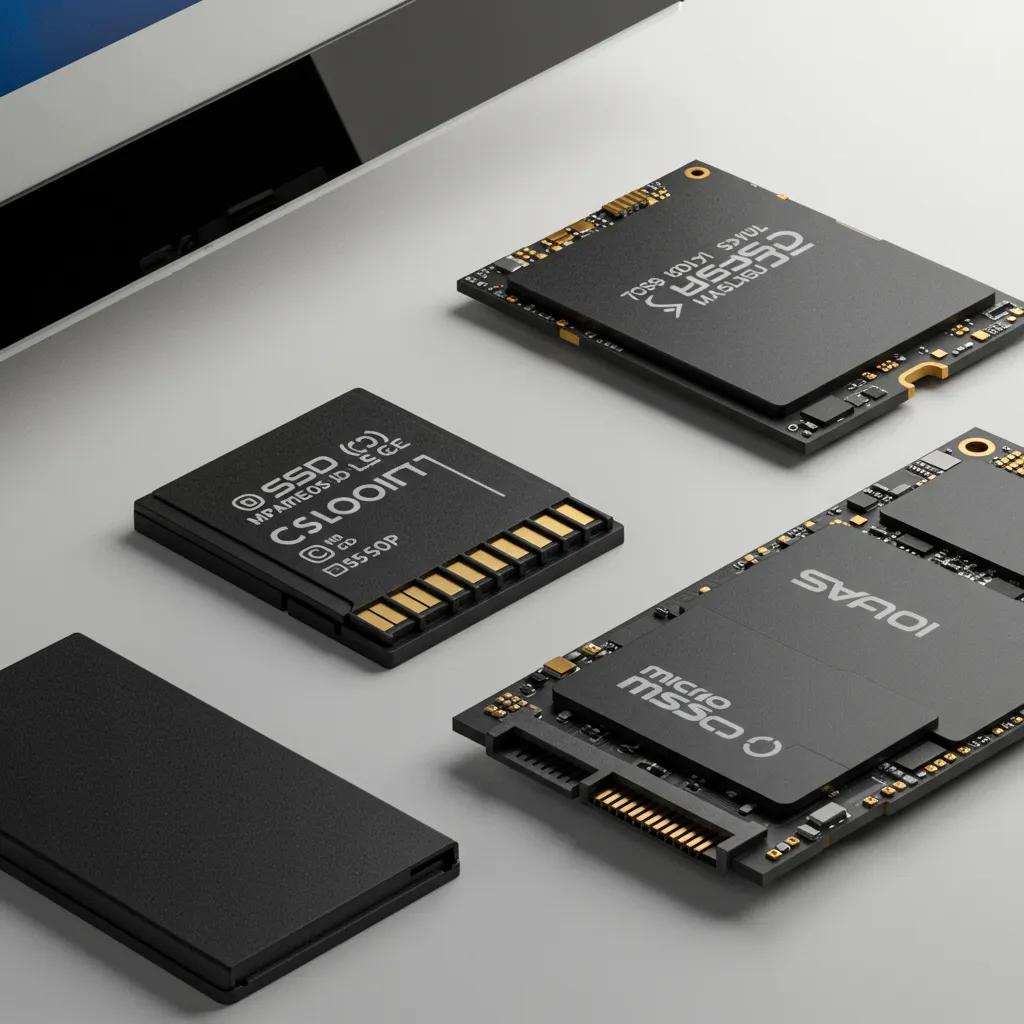
Navigating the world of storage can feel like a maze: SD card, microSD card, or solid-state drive (SSD) — which one is the ideal match for your devices and how you work? This guide breaks down each storage type, explains how technology and speed ratings impact real-world performance, and offers practical buying advice specifically for Aussies. You’ll get crystal-clear definitions of SD, microSD, and SSD, plus device-specific recommendations for cameras, phones, drones, gaming consoles, and laptops. We’ll also share hands-on tips for choosing the right capacity, ensuring durability, and getting the best price per gigabyte. This article tackles common frustrations like dropped frames during recording, sluggish laptop performance, and buying the wrong speed class by matching tasks to minimum speed ratings and storage formats. Get ready for head-to-head comparisons, a look at current trends (as of late 2025), decision-making flows, and a handy FAQ for quick answers. Dive in to pair your device with the right flash storage, sidestep common pitfalls, and shop with total confidence.
What's the Real Difference Between SD Cards, MicroSD Cards, and SSDs?
An SD card, microSD card, and SSD are all types of flash storage, but they mainly differ in their physical size, typical applications, and performance capabilities. SD and microSD cards are compact, removable media commonly found in cameras, phones, and smaller gadgets. SSDs, on the other hand, are larger, higher-performance drives used internally or externally for system and workspace storage. At their core, all three use NAND flash memory managed by a controller. However, SSDs boast more advanced controllers and multiple parallel NAND channels, delivering significantly better sequential and random performance. Grasping these fundamental distinctions will help you select storage that fits your device's slots, meets your speed demands, and lives up to your durability expectations. Next, we’ll define each type in practical terms and highlight common device scenarios to make these choices clear.
What Exactly Is an SD Card and What's It Used For?
An SD card is a full-sized memory card standard, available in SDHC, SDXC, and SDUC versions, which vary in maximum capacity and file system support. You'll typically find SD cards in cameras, camcorders, older laptops, or card readers, offering a convenient way to expand storage or quickly offload media. Operation is straightforward: NAND flash stores data in blocks, while speed classes (Class, UHS, Video Speed) indicate the minimum sustained write rates, crucial for video recording and burst photography. For many photographers, an SD card rated U3 or V30 is the go-to for reliable Full HD and 4K recording. Understanding this helps you match card specifications to your camera's needs.
Selection of SD Cards for Big Data: Capacity and Types Explained
There are four capacity classifications and three distinct types of SD cards available on the market. The selection of an SD card is contingent upon the specific application and the requisite storage capacity. For big data processing, SD cards with larger capacities are frequently favoured to mitigate file system cache effects.
Big data processing on single board computer clusters: Exploring challenges and possibilities, 2021
How Do MicroSD Cards Differ from Their Standard SD Cousins?
MicroSD cards are essentially smaller versions of SD cards that can perform many of the same functions, often with the help of an adapter. They're a staple in smartphones, action cameras, drones, and handheld gaming devices. Their usefulness stems from adapter or host slot compatibility: a microSD card can fit into a standard SD slot using an adapter, but the device must support the card's capacity and speed class to unlock its full potential. Application Performance classes (A1 and A2) are particularly important for phones and gaming devices, as they influence app loading times and game streaming smoothness. Knowing that microSD offers compact versatility but requires compatibility checks naturally leads us to explore how SSDs elevate the performance game.
What Makes SSDs Stand Out from SD and MicroSD Cards?
An SSD is a storage device that leverages NAND flash memory and a sophisticated controller to deliver significantly higher sequential and random performance compared to removable cards. SSDs come in various forms, including internal M.2 NVMe modules and 2.5-inch SATA drives, as well as external options. Their design, featuring parallel NAND channels and advanced wear-levelling algorithms, boosts both speed and write-cycle longevity. The practical advantage is undeniable: SSDs make operating systems, games, and large editing projects feel far more responsive than card-based storage. External SSDs connected via USB4 or Thunderbolt can even rival the speeds of internal NVMe drives. With this performance edge in mind, the next section compares capacity and physical size across these storage types.
How Do Storage Capacity and Physical Size Stack Up Across These Options?
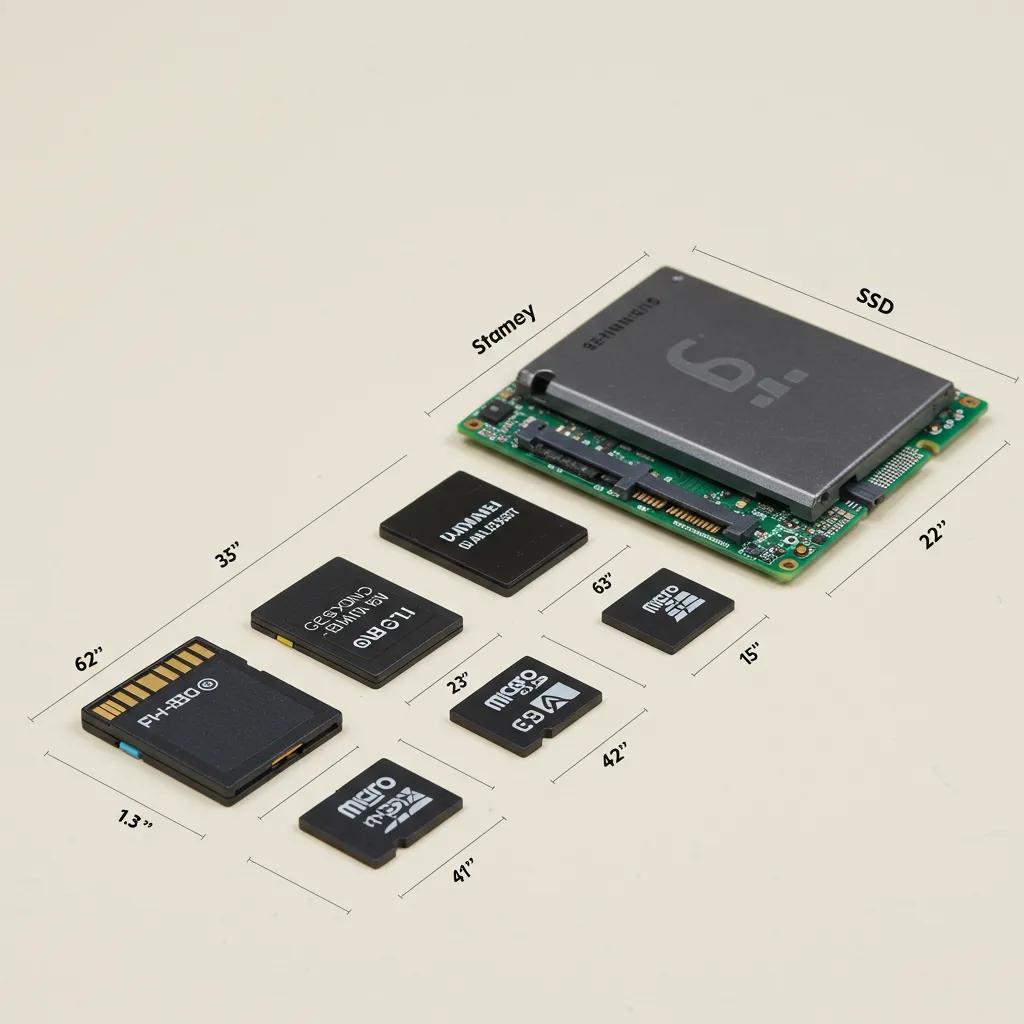
Capacity ranges vary by form factor and standard: SDHC covers lower capacities, SDXC extends to hundreds of gigabytes, and SDUC enables even larger sizes. MicroSD cards follow the same naming conventions but in a smaller form. SSDs typically start at capacities suitable for operating system drives (e.g., 256–512 GB) and scale up to multiple terabytes. While microSD cards have reached 1 TB in the market, SSDs offer much larger, more cost-effective terabyte options for active working storage. The trade-off involves physical size versus sustained performance and price per gigabyte: smaller cards are incredibly portable and convenient, but SSDs provide better long-term value for demanding tasks. This contrast in capacity sets the stage for discussing speed expectations and when speed truly makes a difference.
Which Storage Type Delivers the Best Speed and Performance?
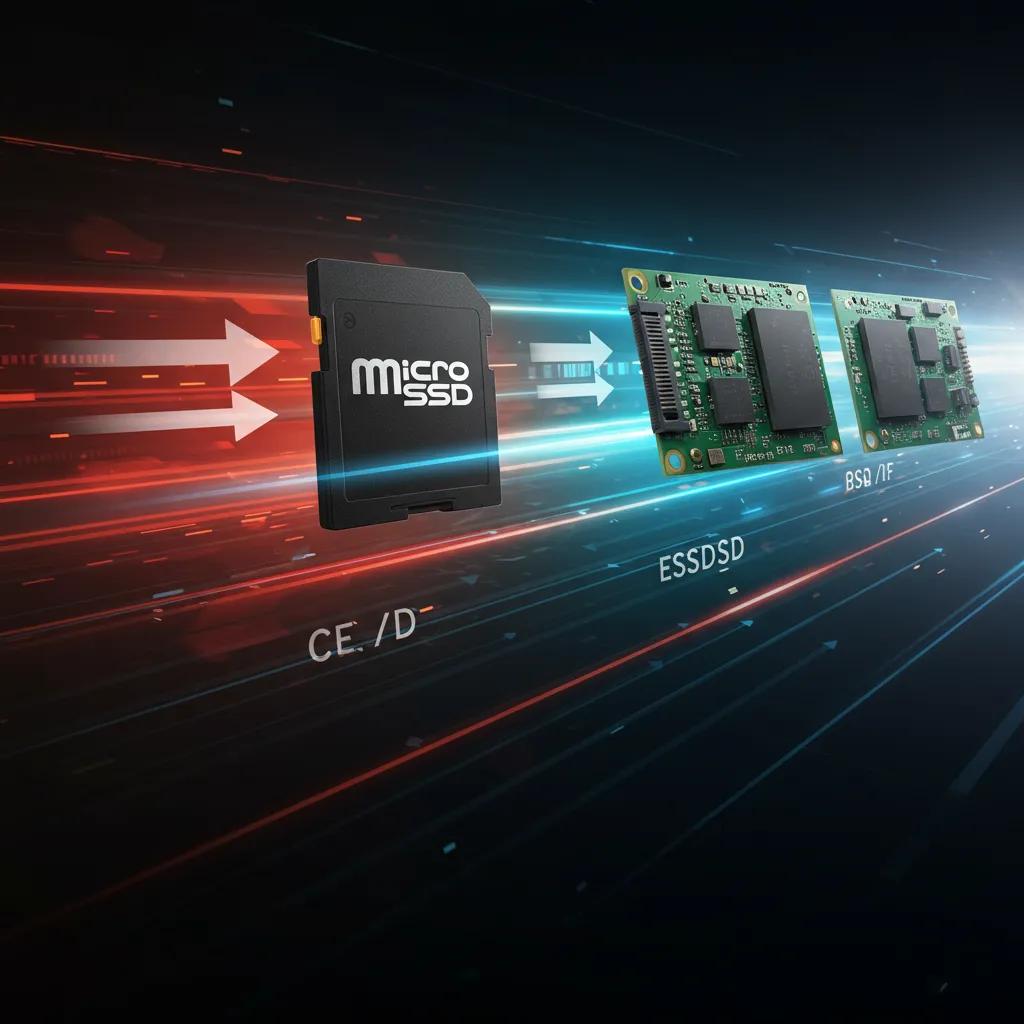
When it comes to speed, the hierarchy is quite clear: SSDs consistently outperform SD and microSD cards in both sequential and random I/O operations. High-end SD cards, particularly UHS-II and UHS-III models, can narrow the gap for sequential tasks. Sequential speeds are vital for transferring large files and smooth video playback, while random IOPS are critical for app loading and overall system responsiveness, which is why SSDs are the preferred choice for system drives. Minimum speed recommendations vary by task: for 4K recording, aim for at least U3/V30; for smartphone app performance, opt for A1/A2-class microSD; and for editing or OS use, favour NVMe SSDs connected via fast interfaces. Understanding these differences naturally leads into device-specific guidance on when to choose each storage type.
When Should You Opt for an SD Card, MicroSD Card, or SSD?
Selecting the right format begins with aligning your device's needs with the storage's attributes: physical slot compatibility, sustained write speed, random IOPS, and required capacity. The fundamental principle for making this choice is matching the storage's minimum write and random performance to your device's typical workload. For instance, capturing rapid RAW bursts demands high sustained write speeds, while an operating system thrives on strong random IOPS. This section offers device-focused recommendations and a decision-making flow to guide your shopping, ensuring you prioritise the specifications that truly matter for your use case. Following the general decision flow, we’ll delve into cameras, phones, drones, consoles, and laptops in detail.
What Storage is Best for Cameras and Photography?
For cameras, the primary requirements are sustained write speed for continuous shooting and video recording, ample capacity for lengthy shoots, and a solid backup strategy for reliability. Mirrorless and DSLR users recording 4K footage or capturing extensive RAW bursts should opt for SD or UHS-II/UHS-III microSD cards with U3 or higher and V30/V60 ratings to prevent dropped frames. Casual photographers might find Class 10 or U1 cards sufficient. Capacity guidance depends on resolution and shoot duration; larger capacities reduce the need for frequent card swapping but still require good backup discipline. Durability considerations favour reputable brands with strong warranties and recovery tools. Knowing your camera's maximum supported card standard and speed is key before moving on to the next device category.
What Storage Works Best for Smartphones, Drones, and Gaming Consoles?
Smartphones that support expandable storage benefit greatly from microSD cards, prioritising those with A1/A2 ratings for app performance and good endurance. Drones and action cameras, meanwhile, require cards with high sustained write speeds and V-class ratings for continuous high-bitrate video capture. Handheld gaming devices and consoles, including portable systems and PC handhelds, need a balance of capacity and read speed for quick game loading. A high-capacity microSD card with strong sustained read/write speeds and an A2 classification can significantly enhance game performance on compatible devices. When choosing storage for these gadgets, always check the host device's maximum supported capacity and whether its firmware supports the chosen speed class to ensure stable performance during recording or gameplay.
When Is an SSD the Smart Choice for Laptops and Video Editing?
An SSD is indispensable when your workflow demands rapid random I/O and high sustained throughput – the very reason editors, gamers, and power users gravitate towards NVMe or external SSDs. For laptop operating system drives, an internal NVMe SSD ensures lightning-fast boot times and snappy app responsiveness. For video editing, an external NVMe SSD paired with Thunderbolt or USB4 dramatically cuts down transfer times and allows for seamless editing directly from the drive. Connectivity is paramount: an external SSD's real-world speed is ultimately limited by your laptop's port and cable. Matching the SSD's interface to your host device is crucial for achieving advertised performance. After considering SSDs for editing, it's vital to verify device compatibility to avoid purchasing storage your device can't fully utilise.
How Does Device Compatibility Influence Your Storage Selection?
Device compatibility hinges on the slot type, maximum supported capacity, file system limitations, and firmware. These factors collectively determine whether your chosen storage will function as intended. Practical checks include verifying your device's supported SD family (SDHC/SDXC/SDUC), confirming the maximum card size it can handle, and checking if the host supports UHS speed lanes or A2 performance for microSD cards. Using an adapter (microSD to SD) addresses form factor issues but doesn't overcome the card's inherent speed limitations. Always confirm your host device's native speed support. Ensuring compatibility prevents wasted purchases and sets realistic expectations for real-world performance, which we'll compare head-to-head in terms of capacity, speed, and price in the next section.
The following table outlines common device types, recommended storage, and the key specifications to prioritise.
| Device / Use Case | Recommended Storage Type | Key Specs to Prioritise |
|---|---|---|
| DSLR / Mirrorless Camera | SD card (UHS-II/UHS-III recommended) | U3/V30+, sustained write speed, capacity for sessions |
| Smartphone (expandable) | microSD (A1/A2 for apps) | Application Performance A1/A2, read speed, capacity |
| Drone / Action Camera | microSD | V60/V90 or high sustained write class, endurance |
| Nintendo Switch / Handheld Gaming | microSD | High read speed, large capacity (128GB+), A1/A2 helpful |
| Laptop OS / Editing Work | Internal NVMe SSD / External NVMe | Random IOPS, sequential throughput, interface (Thunderbolt/USB4) |
How Do Capacity, Speed, Durability, and Price Compare Across SD, MicroSD, and SSDs?
To compare these attributes effectively, we need to examine capacity ceilings, minimum sustained speeds, write endurance, and price-per-gigabyte, allowing you to strike a balance between budget and performance. SSDs generally offer the best price-per-gigabyte for larger capacities and vastly superior random IOPS and endurance. SD and microSD cards are more affordable and portable for media capture but typically cost more per gigabyte at higher capacities. Durability varies, as SSDs incorporate more robust controllers, wear-levelling, and often higher-endurance NAND, making them the preferred choice for intensive write workloads. We’ll present a head-to-head comparison for quick technical reference, followed by speed class mapping and pricing guidance.
| Storage Format | Performance Attributes | Practical Value |
|---|---|---|
| SD Card (full-size) | Moderate sequential speed; limited random IOPS; UHS options | Good for cameras and backup; portable but slower for editing |
| microSD Card | Small form factor; varying endurance; A1/A2 impacts app use | Best for phones, drones and handheld devices; check endurance |
| SSD (NVMe / SATA) | High sequential and random performance; advanced controllers | Best for OS, gaming, editing and sustained workloads |
| Storage Type | Typical Capacity Range | Typical Sequential Read/Write | Durability / Write-Cycle Tolerance |
|---|---|---|---|
| SD / microSD | 8 GB – 1 TB (consumer) | Read up to several hundred MB/s for UHS-II/III; write varies by class | Lower write endurance; suited to intermittent writes; endurance varies by model |
| SATA SSD | 128 GB – 4 TB+ | Read/write up to ~500–600 MB/s | Higher endurance than cards; good for regular read/write cycles |
| NVMe SSD | 250 GB – 8 TB+ | Read/write from 1,000 MB/s to several thousand MB/s | Highest endurance and performance; ideal for heavy work |
What Are the Typical Storage Capacities Available?
Typical capacities for consumer SD and microSD cards range from 16 GB to 1 TB, reflecting the SDHC, SDXC, and SDUC families. SSDs commonly start at 120–250 GB and extend to multiple terabytes for desktop and external drives. Capacity trends show increasingly affordable multi-terabyte SSDs and expanding high-capacity microSD options, which shifts the decision between carrying multiple cards versus a single portable SSD. For photographers and videographers, choosing capacity depends on shoot length and how often you offload footage. Editors will favour SSD sizes that allow project media to reside locally. These capacity differences help set expectations for price and portability, which we'll discuss next.
How Do Speed Classes and Read/Write Speeds Affect Performance?
Speed class labels (Class, UHS, Video Speed V-class, and Application Performance A-class) translate into minimum sustained write speeds and indicate suitability for tasks like 4K recording or hosting apps. For instance, Class 10 guarantees a minimum of 10 MB/s, U3/U1 and V30/V60/V90 correspond to higher minimum write rates suitable for HD and 4K/8K video recording, while A1/A2 relate to the random IOPS needed for app performance. Sequential read/write speeds are important for transferring large files and streaming video; random IOPS are crucial for loading apps and OS responsiveness, with SSDs generally outperforming cards in both metrics. Understanding these distinctions helps you select the minimum speed class for your task and avoid performance bottlenecks.
Key speed classes to keep in mind:
- Class 10 (C10): Great for HD video and general photo storage.
- U1 / U3: U3 is recommended for 4K video recording and higher-bitrate tasks.
- V30 / V60 / V90: Video Speed classes designed for continuous high-bitrate video.
- A1 / A2: Application Performance classes crucial for app storage and random IOPS.
Which Storage Type Offers the Best Durability and Lifespan?
Durability is determined by write-cycle tolerance, controller quality, and environmental protections (resistance to water, shock, and extreme temperatures). SSDs typically boast higher endurance thanks to superior controllers, wear-levelling, and overprovisioning, making them a more reliable choice for operating systems and editing tasks involving numerous small writes. SD and microSD cards can be durable for capture if you choose high-endurance or purpose-built variants (e.g., for dashcams or surveillance). However, general consumer cards may wear out faster under continuous write conditions. Best practice dictates backing up critical media frequently and using SSDs for heavy write jobs, while employing cards for capture and transfer – a strategy that balances lifespan and portability.
How Does the Price Vary for Different Storage Options in Australia?
Price-per-gigabyte trends indicate that SSDs are becoming more cost-effective for larger capacities. Conversely, SD and microSD cards remain comparatively pricier per gigabyte at the high end, especially for top speed classes. Australians typically shop at general electronics retailers, specialist camera stores, and verified online sellers. Keep an eye out for seasonal sales and always verify warranties and seller credibility to steer clear of counterfeit products. When evaluating value, prioritise the specifications that match your use case over the headline capacity alone. A cheap, high-capacity card with insufficient speed can end up costing you more in frustration than a modestly priced, higher-class card. With this pricing context in mind, the next section covers emerging trends and tips for future-proofing your purchases.
What Are the Latest Trends and Future-Proofing Tips for Choosing Storage?
Recent trends (as of late 2025) include increasingly affordable capacities, broader adoption of NVMe SSDs, and evolving SD standards that push higher sustained speeds and capacities. The driving forces behind these advancements are NAND scaling and interface improvements (like PCIe generations and UHS evolutions), which lower the cost-per-gigabyte and raise performance ceilings, making it easier to future-proof your storage choices. For consumers, this means selecting storage that meets current needs while also considering interface and standard compatibility to avoid premature obsolescence. Below are key trend summaries and practical future-proofing steps to guide Australian buyers.
How Are Increasing Capacities and Falling Prices Changing Storage Choices?
As capacities expand and prices drop, consumers face a choice: carry fewer, larger drives or opt for many small cards. The trade-off is between convenience and redundancy. For archival purposes, it can be more cost-effective to purchase larger SSDs for long-term storage, while active shoots still benefit from multiple cards to isolate footage and minimise risk. Growing capacities also mean that devices supporting larger files (like 8K video or RAW photos) will demand faster sustained write speeds, making it essential to prioritise speed alongside capacity. This shift in pricing and capacity influences whether you should invest more in speed now or upgrade later as standards mature.
What Emerging Standards Should Australian Consumers Be Aware Of?
Emerging standards to watch include SDUC for higher card capacities, ongoing updates to UHS and Video Speed classes for improved sustained writes, and advancements in NVMe/PCIe generations for SSDs that deliver significant boosts in throughput. These standards are important because they dictate future compatibility and maximum practical performance when paired with host devices. Choosing cards or drives that align with newer standards helps protect your investment over several years. Observing adoption cues – such as device support for UHS-II or Thunderbolt 4/USB4 – indicates when it makes sense to invest in higher-end media.
How Does Faster External Connectivity Impact SSD Performance?
External connectivity options like USB4 and Thunderbolt significantly reduce the performance gap between internal NVMe SSDs and portable drives by enabling higher throughput and lower latency. This allows for seamless direct editing from external drives. A bottlenecked cable or port will cap an SSD's real-world speed, so matching the drive's interface to your host port is critical for achieving advertised performance. For portable editing workflows, selecting an external NVMe SSD with Thunderbolt or USB4 compatibility ensures consistent high performance. If your host device lacks these ports, internal NVMe or SATA SSDs might be a better option. Understanding connectivity helps you avoid paying for an SSD that your laptop can't fully utilise.
Why Is Durability More Crucial for Continuous Use and Professional Applications?
Continuous or professional workloads (such as surveillance, dashcams, or multi-hour recordings) demand storage with high endurance ratings and a design suited for heavy duty cycles, as frequent writes accelerate wear. SSDs and high-endurance cards often feature specifications like TBW (terabytes written) or purpose-built endurance classes to quantify their expected lifespan under heavy use. Selecting storage with higher endurance helps prevent mid-project failures. For professionals, combining durable storage with robust backup and rotation strategies is essential to avoid catastrophic data loss and maintain uninterrupted workflows. These durability considerations lead into practical buying steps for Australian consumers in the next section.
How Can Australian Consumers Make Confident Storage Buying Decisions?
Making confident purchasing decisions starts with a quick checklist: identify your device's slots, determine the required speed and capacity, verify host compatibility and warranty, and buy from trusted sellers. The process involves systematically narrowing down your options based on your device's constraints and workload needs, thereby reducing the risk of buying incompatible or underperforming media. This section provides a practical how-to guide with prioritisation advice and retail considerations tailored specifically for Australian buyers. After the checklist, we’ll detail what to look for and common mistakes to avoid.
Use this quick buying checklist to clarify your needs before you shop.
- Identify the device and slot type: Confirm whether you need an SD, microSD, SATA, or NVMe drive.
- Set minimum speed class and capacity: Match UHS/V/A classes to your recording or app requirements.
- Check compatibility: Verify your device's maximum supported capacity and firmware support.
- Buy from verified sellers: Prioritise warranty, local returns, and confirmed product authenticity.
What Device and Use Case Factors Should You Identify First?
Begin by listing your device model, whether it has a card slot or requires an internal drive, and your typical session lengths or project sizes. The key is to translate your use case into measurable specifications: continuous video recording necessitates sustained write speed, apps demand random IOPS, and archiving prioritises price-per-gigabyte. Also, consider environmental factors like temperature and shock if you anticipate rugged use, as these influence whether to select ruggedised or high-endurance media. Identifying these factors upfront will narrow your choices and prevent purchasing media that doesn't meet your workload demands.
How Should You Prioritise Speed, Capacity, and Durability?
Prioritise the attribute that addresses your primary bottleneck: speed for recording and editing, capacity for archiving, and durability for continuous writes or professional applications. A balanced approach often yields the best results: choose the minimum acceptable speed class for reliability, then scale capacity to meet your session needs, and add redundancy through backups. Budget-conscious buyers can accept trade-offs – for example, slightly lower speed in exchange for greater capacity – but must ensure the speed remains above the device’s minimum requirement. This prioritisation helps reduce wasted spending and aligns purchases with practical usage.
What Are the Best Storage Options Available in Australian Retail?
When shopping locally, focus on product attributes rather than brand names alone. Look for clear speed class labelling, warranty terms, and seller verification to avoid counterfeit cards. Australian buyers often find good value at specialist camera shops for genuine SD cards and at reputable electronics stores or authorised resellers for SSDs. Ensure warranty and return policies are local whenever possible. Steer clear of grey-market sellers offering suspiciously low prices and check user reviews for real-world reliability. Doing so will help ensure the storage you purchase performs as expected. These retail tips will help you sidestep common mistakes, which we'll discuss next.
How Can You Avoid Common Storage Buying Mistakes?
Common errors include purchasing the wrong speed class, selecting a maximum capacity that isn't supported, and buying counterfeit or grey-market cards. Verify speed class markings, confirm device compatibility in your manual or manufacturer specifications, and buy from authorised sellers with clear return policies to minimise risk. Also, check the product’s warranty and consider a small test after purchase – format the storage and run sample recordings or transfers to confirm real-world performance. Avoiding these pitfalls saves time and prevents data loss. With these precautions in place, you’ll be better equipped to share your experiences or ask for tailored advice.
What Are the Most Common Questions About SD Cards, MicroSD Cards, and SSDs?
Answering frequently asked questions directly provides quick guidance for urgent decisions and helps capture featured snippets with concise responses. The schema below offers short, actionable answers and points to detailed attributes where relevant, making this section a rapid reference for common buyer queries. Read the quick answers, then follow the links within the article above for deeper explanations on each topic.
| Question | Quick Answer | Relevant Attributes |
|---|---|---|
| Can an SSD replace an SD card? | Partly: external SSDs can substitute for cards for storage and editing, but not in devices requiring dedicated card slots (cameras, drones). | Compatibility, interface, device slot |
| Which storage for 4K recording? | Use U3/V30 or higher SD/microSD for recording; SSDs are best for editing and transfers. | Minimum sustained write speed, capacity |
| Are SSDs more durable than SD cards? | Generally yes: SSDs offer higher write endurance and superior controllers for sustained workloads. | Write-cycle tolerance, controller quality |
| What are SD speed classes? | Class, UHS (U1/U3), Video Speed (V30/V60/V90), and Application (A1/A2) map to minimum write and random IOPS. | Minimum write speeds, use-case mapping |
What Is the Main Difference Between an SD Card, MicroSD Card, and SSD?
The primary distinctions lie in form factor and typical usage: SD and microSD cards are removable media for cameras, phones, and portable devices, while SSDs are installed or connected drives for system and workspace storage. In terms of performance, SSDs deliver higher sequential throughput and random IOPS due to their advanced controllers and parallel NAND architecture, which significantly benefits operating systems and editing tasks. Choose the format that best matches your device's slot and workload requirements to ensure compatibility and achieve expected performance.
Can an SSD Replace an SD or MicroSD Card?
An SSD can serve as a replacement for cards when used externally for storage and editing purposes, but it cannot function within devices that require a card in a dedicated slot, such as cameras, drones, or phones. External SSDs are excellent for offloading footage, editing on the go, and performing fast backups, provided your laptop supports the SSD's interface. For devices lacking appropriate ports or for in-camera recording, SD/microSD cards remain essential. Therefore, your choice should always be based on the device's physical and interface constraints.
Which Storage Is Best for 4K Video Recording and Editing?
For recording 4K video, opt for SD or microSD cards rated at least U3/V30 to guarantee sustained write performance. For editing, use an NVMe SSD with high sequential throughput and fast host connectivity (Thunderbolt/USB4) to ensure smooth streaming and rendering. The practical workflow involves recording onto high-class cards, offloading footage to an SSD for active editing, and keeping the cards as backups or for media archiving. This approach balances capture reliability with editing performance, ensuring seamless project workflows.
Are SSDs More Durable Than SD Cards?
Yes, SSDs generally offer superior durability. Their controllers implement advanced features like wear-levelling, error correction, and overprovisioning, which enhance write endurance over time. SD and microSD cards can be durable for intermittent recording tasks but typically exhibit faster wear under continuous write workloads without specific endurance ratings. For professional or continuous recording applications, it's advisable to choose SSDs or purpose-built high-endurance cards and implement a robust backup strategy to safeguard your important data.
What Are the Different Speed Classes for SD and MicroSD Cards?
Speed classes encompass Class (C), UHS (U1/U3), Video Speed (V30/V60/V90), and Application Performance (A1/A2). Each class corresponds to minimum sustained write speeds or random IOPS. Class 10 guarantees 10 MB/s, U3/V30 guarantees at least 30 MB/s sustained write, and A1/A2 specify minimum random read/write IOPS crucial for app performance. Matching the required speed class to your recording resolution and device workload prevents dropped frames and sluggish app performance.
How Can You Share Your Storage Experiences and Ask Questions?
Sharing your experiences helps the community learn from real-world setups, and asking targeted questions yields personalised advice based on your specific device and workflow details. The key to helpful sharing is to include your device model, typical file types (e.g., RAW, 4K), session lengths, and whether you prioritise speed, capacity, or durability. Example stories highlight trade-offs: a photographer who switched to U3 cards to eliminate dropped RAW bursts, or a videographer who transitioned from card-based workflows to NVMe external drives to accelerate editing. These concrete examples offer valuable learning points for readers deciding between capacity and speed.
How Can You Ask Questions or Get Personalized Advice?
To receive focused assistance, include your device model, the types of media you typically work with, your recording or editing workflows, and a brief description of the problem or goal. This provides responders with sufficient context to recommend an appropriate speed class, capacity, and endurance level. Structure your question by starting with the device, followed by the workflow, and then the desired outcome for the clearest replies. Providing these details will expedite useful recommendations and encourage follow-up troubleshooting.
What Storage Stories Have Other Australian Consumers Shared?
Realistic, anonymised anecdotes illustrate common decision-making processes: one user reported switching from multiple 64 GB cards to a single 1 TB microSD for extended trips, while another professional editor replaced portable HDDs with NVMe SSDs, significantly reducing transfer times. These brief stories demonstrate how aligning storage choices with specific workflows reduced headaches and boosted productivity, inviting readers to share similar outcomes or inquire about adapting solutions to their own devices.
This article has detailed the differences between SD, microSD, and SSDs, mapped device use cases to storage choices, compared capacity, speed, durability, and price, and offered practical buying and future-proofing advice for Australian consumers. If you have a specific device or workflow in mind, share the details in the comments so the community and experts can offer tailored recommendations.
Frequently Asked Questions
What factors should I consider when choosing between SD cards, microSD cards, and SSDs?
When selecting between SD cards, microSD cards, and SSDs, consider device compatibility, required speed class, capacity needs, and intended use. SD and microSD cards are ideal for portable devices like cameras and smartphones, while SSDs are better suited for high-performance tasks such as gaming and video editing. Additionally, assess durability and price-per-gigabyte to ensure you get the best value for your specific requirements. Understanding these factors will help you make an informed decision that aligns with your workflow.
Can I use an SD card in a device that only supports microSD cards?
Yes, you can use an SD card in a device that supports microSD cards by employing an adapter. However, ensure that the device can handle the capacity and speed class of the SD card. While the adapter facilitates physical compatibility, the performance will still be dictated by the device's specifications. Always consult your device's manual or manufacturer guidelines to confirm compatibility and avoid potential issues with speed or capacity limitations.
How do I know if my device supports the latest SD or SSD standards?
To determine if your device supports the latest SD or SSD standards, consult its user manual or the manufacturer's website for specifications. Look for information regarding supported SD card families (SDHC, SDXC, SDUC) and SSD interfaces (SATA, NVMe, PCIe). Furthermore, firmware updates may enhance compatibility with newer standards, so ensure your device is running the latest version. If you're uncertain, contacting customer support can provide clarity on compatibility with current storage technologies.
What is the lifespan of SD cards and SSDs under heavy use?
The lifespan of SD cards and SSDs varies significantly based on usage patterns. SD cards typically have lower write endurance, especially standard consumer models, which may wear out faster under continuous writing. In contrast, SSDs are engineered for higher endurance, often rated with TBW (terabytes written) metrics, making them suitable for demanding workloads. For professional applications, selecting high-endurance SD cards or SSDs with robust controllers can help ensure longevity and reliability during intensive use.
Are there specific brands known for high-quality SD and SSD products?
Yes, several brands are renowned for producing high-quality SD and SSD products. For SD and microSD cards, brands like SanDisk, Lexar, and Kingston are frequently recommended for their reliability and performance. When it comes to SSDs, Samsung, Crucial, and Western Digital are popular choices, recognised for their advanced technology and durability. Always check user reviews and warranty terms to ensure you are purchasing a reputable product that meets your performance needs.
How can I ensure the security of my data on SD cards and SSDs?
To ensure the security of your data on SD cards and SSDs, consider using encryption software to protect sensitive files. Regularly back up your data to another storage device or cloud service to prevent loss. Additionally, safely eject your storage devices before removal to avoid data corruption. For SSDs, enable features like TRIM to maintain performance and longevity. Lastly, keep your devices in a safe environment to protect against physical damage and wear.
Conclusion
Choosing the right storage solution—whether it's SD cards, microSD cards, or SSDs—can significantly boost your device's performance and usability. Understanding the unique advantages of each type ensures you make informed decisions that align with your specific needs, whether for photography, gaming, or professional editing. To further explore your options and discover the perfect storage solution, check out our comprehensive selection tailored for Australian consumers. Don't hesitate to reach out with your questions or share your experiences to help others in the community.