

Top Picks for the Kogan RCKGNTVT006 Replacement Remote: Compatibility, Ease of Use, Affordability, and Reliability for Kogan LED LCD TVs
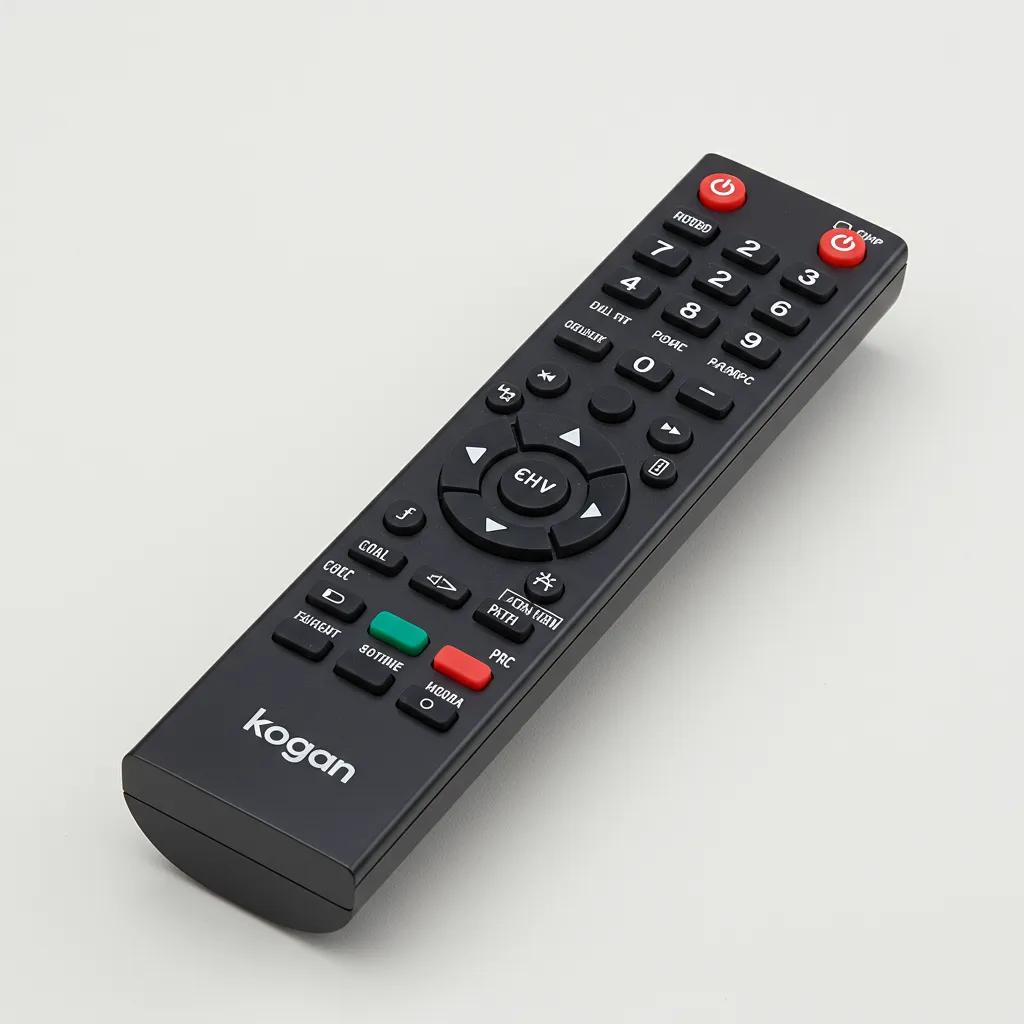
Finding a reliable replacement remote for a Kogan LED LCD TV can save time and money while restoring full control of your viewing experience. This guide reviews the RCKGNTVT006, T006, and YDX137-G36 replacement remotes for Kogan TVs, explaining compatibility, fast setup, affordable value, and everyday reliability so you can buy with confidence. Many owners face frustration when a lost or faulty remote interrupts TV use; genuine replacement remotes eliminate guesswork by matching IR codes and button layouts to the original device. In this article, you will find a clear explanation of why these remotes fit Kogan models, a scannable compatibility matrix, step-by-step setup instructions, practical care and storage tips, troubleshooting flows, and purchase guidance aimed at Australian shoppers. Throughout, we weave practical keywords like Kogan TV remote, Kogan remote setup guide, and Kogan remote troubleshooting to help you find the right solution quickly and confidently.
Why Choose the Kogan RCKGNTVT006, T006, and YDX137-G36 Replacement Remotes?
These replacement remotes are designed specifically to restore the original remote control experience for Kogan LED LCD TVs by matching infrared (IR) signaling patterns and button layouts. The mechanism is straightforward: each remote transmits model-matched IR codes so the TV recognizes commands immediately, providing a reliable and predictable user experience. Choosing a genuine replacement often reduces setup complexity and avoids the partial-function issues some universal remotes introduce, which means less time troubleshooting and more time watching. Below is a quick list that summarizes the main selling points and how they benefit daily use.
The core value propositions for these Kogan remotes are:
- Compatibility with Kogan LED LCD TV models, reducing the need for programming.
- Immediate ease of use — battery install and point-to-IR operation.
- Affordable pricing compared with feature-heavy universal alternatives.
- Reliable IR performance and familiar button layout for predictable behavior.
These advantages lead directly into the technical reasons behind compatibility and the practical setup steps that follow, which explain how these benefits are realized in everyday use.
What Makes These Remotes Compatible with Kogan LED LCD TVs?
Compatibility stems from matching the remote’s IR code set to the television’s expected commands and reproducing the original button layout so every function performs as intended. The RCKGNTVT006, T006, and YDX137-G36 are infrared replacement remotes that act as direct hyponyms of the original Kogan remote control, inheriting the necessary IR emitter patterns and keypad mapping. For users, this means power, volume, input, and menu keys behave as they did originally, minimizing surprises when navigating Smart TV menus or external inputs. To confirm compatibility quickly, compare the remote model printed on your original remote or the TV’s manual with the replacement’s model listing; this verification step closes the loop between purchase and successful operation.
Understanding this IR-code mapping prepares you for the immediate setup that follows, where no pairing codes or complex programming are usually required.
How Does the Easy Setup Process Save You Time?
Setup is intentionally simple: insert two AAA batteries, point the remote at the TV’s IR sensor, and test power and volume functions. The remote functions as an IR transmitter — a direct, low-latency relationship: remote → sends IR code → TV responds — so there is no Bluetooth pairing step or network configuration needed for most Kogan LED LCD TVs. This immediate-use behavior reduces user friction and removes points of failure associated with pairing protocols, meaning you can replace a lost remote and resume viewing within minutes. If a button does not work as expected, the short troubleshooting checklist later in this guide will help isolate the issue quickly.
This straightforward process leads naturally into why affordability is a competitive strength for genuine replacements, which we cover next.
Why Are These Remotes More Affordable Than Universal Alternatives?
Genuine replacement remotes are often less costly because they focus on providing the exact set of functions required for a specific TV model without extra hardware or complex multi-device programming. Universal remotes include a wider range of code libraries, additional hardware, and sometimes proprietary learning features that add manufacturing cost and setup complexity, which may not yield practical value for users who only need basic TV control. Choosing a model-specific replacement typically offers better cost-of-ownership for Australian shoppers by restoring full functionality at a lower price and with fewer compatibility trade-offs. This affordability means you can replace a faulty remote without considering more expensive alternatives or unnecessary upgrades.
Having established value and affordability, the next logical concern is reliability and longevity, addressed in the following subsection.
How Reliable Are These Genuine Replacement Remotes?
Reliability depends on component quality, IR emitter strength, and straightforward mechanical design; genuine replacements prioritize matching the original design to maintain expected IR range and button lifespan. Practically, users can expect stable performance for typical household use when batteries are fresh and the IR path is unobstructed; routine care such as cleaning and correct storage will extend life further. Because these remotes reproduce original key mapping, they avoid the intermittent control that can occur with poorly matched universal remotes, delivering predictable daily performance. Regular maintenance and correct battery choice also support longevity, which we expand on in the care section.
Understanding reliability leads us to a scannable compatibility guide so you can confirm your TV model is supported.
Which Kogan TV Models Are Compatible with the RCKGNTVT006, T006, and YDX137-G36 Remotes?
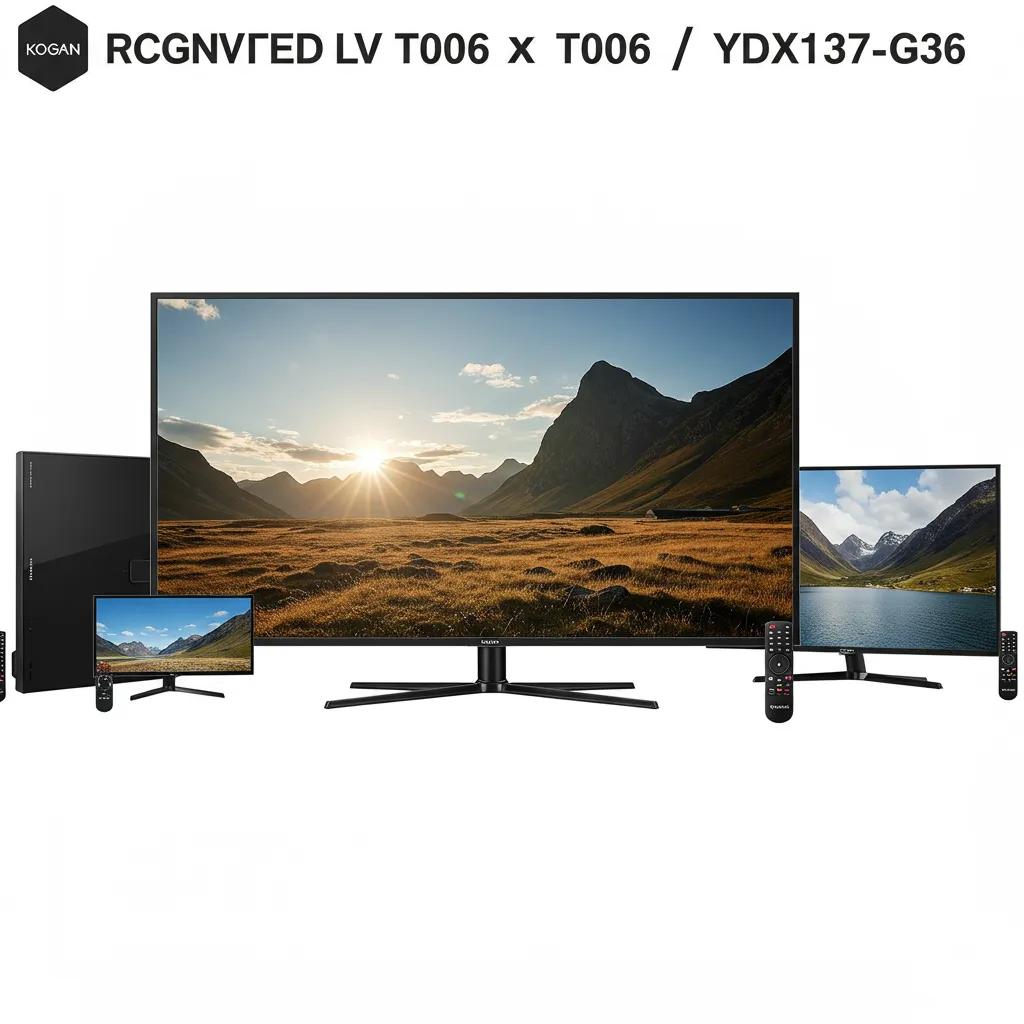
Compatibility varies by series and model family, but these replacement remotes cover a broad range of Kogan LED LCD TVs by matching IR command sets commonly used across the brand’s line. The following compatibility matrix helps you scan whether your TV series is supported and includes practical notes for premium lines such as Series 9 and Signature Series. Use the table to check support status at a glance and then follow the verification checklist that explains how to confirm your exact model.
The compatibility matrix below shows model families, supported remote models, and quick notes for verification.
| Kogan TV Family | Supported Replacement Remote | Notes |
|---|---|---|
| Kogan Series 9 | RCKGNTVT006 / T006 / YDX137-G36 | Generally supported; verify model sticker on TV or original remote label |
| Kogan Signature Series | RCKGNTVT006 / T006 / YDX137-G36 | Often supported but check premium model notes in manual |
| Generic Kogan LED LCD TVs (entry & mid-range) | RCKGNTVT006 / T006 / YDX137-G36 | Broad compatibility across common IR code sets |
This table helps identify likely compatibility quickly, but simple verification steps minimize risk before purchase and ensure the chosen remote matches your exact TV model.
What Kogan LED LCD TV Series Work with These Replacement Remotes?
Major Kogan series like Series 9 and the Signature Series typically share IR command sets with other Kogan LED LCD TVs, which makes model-specific replacements effective across series. Series-level compatibility means that a single replacement model often supports multiple TVs within the same family, provided the TV uses the standard IR protocol rather than a custom smart interface. Exceptions can occur for niche or very old models, so always check the TV label or original remote for the model identifier before buying. This approach reduces the chance of partial functionality and guides you to the correct replacement choice.
Confirming series compatibility sets up the quick verification steps explained next, which focus on simple, reliable checks.
How to Verify Your Kogan TV’s Compatibility Quickly?
To verify compatibility fast, check three places: the model sticker on the back or base of the TV, the original remote’s printed model code, and the TV’s on-screen settings menu which often lists the model identifier. If the original remote shows a model number or part code, match that to the replacement listing; if not, the TV panel sticker usually provides the necessary model name to cross-reference. These steps form a fast verification checklist that protects against buying the wrong remote and minimize returns or exchanges.
These verification habits are particularly useful when assessing premium models, which are discussed below.
Are Signature Series and Series 9 TVs Supported?
Yes — Signature Series and Series 9 models are commonly supported by the RCKGNTVT006, T006, and YDX137-G36 replacements because these remotes reproduce the standard IR command sets used by Kogan across premium and mainstream lines. However, some premium models may include additional smart features or alternate input controls that vary by release, so it is wise to confirm your model’s label or consult the original remote model to guarantee full function parity. If a premium model uses an alternate control method, the quick verification checklist will flag that so you can choose the correct option.
With compatibility confirmed, the next section shows how to set up one of these replacement remotes in minutes.
How to Set Up Your Kogan RCKGNTVT006 Replacement Remote in Minutes?
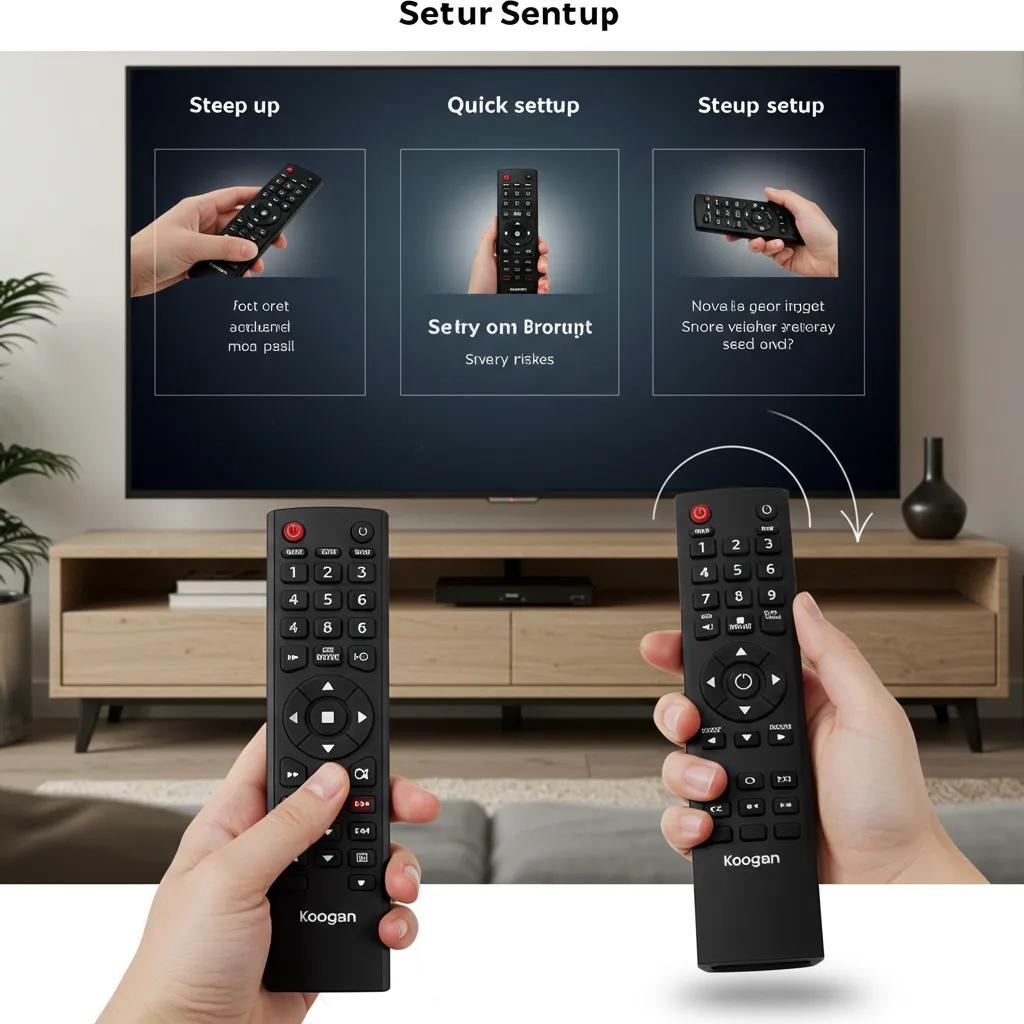
Setting up these replacement remotes is designed to be fast and intuitive: most users need only install batteries and test basic functions because the remotes use direct infrared signaling aligned with the TV’s expected codes. The primary mechanism is: install batteries → point remote at the TV’s IR sensor → press power and volume to confirm response. That simplicity removes pairing or code-entry steps used by universal remotes, making the process accessible for every household. Below you’ll find numbered, HowTo-style steps for battery insertion, immediate use guidance, and rapid triage if the remote doesn’t respond.
Follow these steps to get started quickly.
- Unpack the remote and confirm the model label matches the replacement listing.
- Insert two AAA batteries into the battery compartment, observing polarity.
- Point the remote at the TV’s IR sensor (usually on the lower bezel) and press the power button.
- Test volume and menu buttons to confirm full functionality.
- If any function fails, proceed to the immediate checks below.
After testing basic operation, the battery insertion specifics are detailed in the next subsection to ensure safe and correct installation.
What Are the Step-by-Step Instructions for Battery Insertion?
Use two fresh AAA batteries and install them in the indicated orientation within the battery compartment, ensuring the springs and contacts are clean and properly seated. Begin by opening the compartment cover, insert the batteries with the correct polarity marks aligned, and replace the cover until it clicks into place; improper seating can cause intermittent power or reduced IR strength. Dispose of old batteries responsibly and avoid mixing new and used cells to preserve performance. Removing batteries before long storage is recommended and discussed in the care section.
Proper insertion completes the physical setup and enables immediate IR operation, which is explained next.
How to Use the Remote Without Programming or Pairing?
Once batteries are installed, point the remote at the TV’s IR sensor and press common commands like Power, Volume Up/Down, and Menu; these commands should register immediately if the remote matches the TV’s IR codes. The replacement remote functions as a direct IR emitter — remote → IR emitter → TV IR sensor — so no software pairing is required for typical Kogan LED LCD TVs. Some model-specific function keys such as smart app shortcuts might vary in availability, but core navigation and power functions are expected to work consistently. If specific smart features do not respond, consult the verification checklist or the troubleshooting section for targeted fixes.
If the remote does not respond immediately, the short triage flow below will help isolate common causes before deeper troubleshooting.
What Should You Do If the Remote Doesn’t Respond Immediately?
Start with a simple triage: check battery orientation and charge, ensure nothing blocks the line of sight, and confirm you are within typical IR range (usually a few meters). If basics are correct, try the phone camera test to see if the remote’s IR LED flashes when buttons are pressed; lack of flash suggests a battery or emitter fault. Power-cycle your TV by unplugging it for 30 seconds to reset IR receiver states, then retest. These quick checks resolve the majority of immediate non-response issues and link into the more detailed troubleshooting EAV table later in this article.
Having set up and validated operation, next we cover routine care to keep the remote performing reliably.
What Are the Best Care Tips to Extend the Life of Your Kogan Replacement Remote?
Routine maintenance keeps IR performance consistent and prevents early failure; simple habits such as timely battery replacement, gentle cleaning, and safe storage significantly extend service life. The remote’s meronyms — AAA batteries, battery compartment cover, IR emitter, and keypad — each require basic attention to ensure overall function. Below is a practical list of recommended care actions you can adopt to protect your investment and maintain reliable TV control.
Key care actions to extend remote life:
- Replace batteries proactively every 6–12 months depending on use.
- Remove batteries if the remote will be unused for more than three months.
- Clean the keypad and battery contacts with a soft, dry cloth or isopropyl wipe, avoiding liquids entering the compartment.
- Store the remote in a covered tray or drawer away from direct sunlight and extreme temperatures.
These simple routines reduce common failure modes and lead into specific guidance on battery replacement cadence discussed next.
How Often Should You Replace Batteries for Optimal Performance?
Battery replacement depends on usage: for average household use, changing AAA batteries every 6 to 12 months maintains strong IR output and prevents sudden power loss during viewing. Signs of low battery include reduced IR range, slower button response, and intermittent function; replace batteries promptly when these symptoms appear to avoid aggravating electronic contacts. For infrequent use or storage, removing batteries prevents leakage and corrosion which can damage the battery compartment. Choosing reputable alkaline batteries provides predictable voltage and consistent performance for the replacement remote.
Regular battery checks are one part of safe cleaning practices described in the next subsection.
What Cleaning Methods Keep Your Remote Working Reliably?
Before cleaning, remove the batteries to prevent accidental shorting and to protect internal components from moisture. Use a soft, lint-free cloth lightly dampened with isopropyl alcohol to wipe the keypad and plastic surfaces; avoid spraying liquids directly into seams or openings to prevent damage to the IR emitter and internal contacts. For stubborn dirt around buttons, use a cotton swab moistened with isopropyl alcohol and gently work the area, then allow the remote to dry completely before reinserting batteries. These safe cleaning practices preserve both aesthetics and functionality over time.
After cleaning, store the remote correctly to avoid physical damage and battery issues, as explained below.
How to Store Your Remote to Avoid Damage?
Store the remote in a cool, dry place away from direct sunlight and extreme temperatures, which can degrade plastics and battery performance. A covered tray or drawer prevents accidental drops and spills and reduces dust accumulation on the IR emitter and keypad. For long-term storage, remove the batteries to prevent leakage and document the remote model so finding the right replacement later is straightforward. These storage precautions maintain performance and make post-purchase verification easier if a return or exchange becomes necessary.
With care guidance covered, the next section addresses troubleshooting common issues with structured fixes.
How to Troubleshoot Common Issues with Your Kogan TV Replacement Remote?
Troubleshooting follows a clear diagnostic pathway that isolates common causes such as depleted batteries, obstructed IR path, TV IR receiver settings, or physical damage. The following EAV quick-reference table summarizes frequent issues, likely causes, and concise step-by-step fixes so you can act fast and restore control with minimal fuss. Use this table as a first-response checklist before considering replacement.
Common issues, probable causes, and fixes:
| Issue | Likely Cause | Fix |
|---|---|---|
| Remote not responding | Dead or incorrectly installed batteries | Replace batteries, verify polarity, test with phone camera for IR pulse |
| Reduced range or intermittent control | Weak battery, dirty battery contacts or IR emitter | Clean contacts, replace batteries, wipe IR emitter with isopropyl |
| Buttons work inconsistently | Worn keypad or debris under buttons | Remove batteries, clean around buttons, if recurring consider replacement |
This EAV table provides a quick mapping from symptom to action, and the numbered checklist below expands the immediate steps to take if your remote is not operating properly.
What to Do If the Remote Is Not Working or Responding?
Begin with the basics: replace batteries with fresh AAA cells, check battery polarity, and ensure the compartment cover is secure. Next, verify line of sight to the TV’s IR sensor and remove any obstructions such as soft furnishings or devices placed in front of the panel. Use your phone camera to confirm the remote emits an IR pulse when buttons are pressed; if no pulse is visible, the remote likely needs battery replacement or is defective. If the IR pulse is present but the TV does not respond, power-cycle the TV and re-test; persistent failure after these checks indicates the need for deeper diagnostics or direct replacement.
These triage steps segue into IR-specific fixes such as sensor cleaning and alignment.
How to Fix Line of Sight and Infrared Sensor Problems?
Infrared control requires an unobstructed path between the remote’s IR emitter and the TV’s IR receiver, so reposition devices or remove obstacles that block the beam. A practical test is to use a smartphone camera: press a button on the remote while viewing the emitter through the camera; a visible blink indicates the IR LED is working. Clean the TV’s IR window and the remote’s emitter with a soft, dry cloth to remove grime that reduces transmission. If alignment issues persist, reposition the TV or remote to avoid reflective surfaces that may scatter IR signals and reduce effective range.
When repeated failures occur or the remote is old, replacement can be more cost-effective than repair, as discussed next.
When Should You Consider Replacing Your Remote Instead of Repairing?
Consider replacement when the remote has recurring failures after basic fixes, physical damage to the keypad or casing, or age-related wear that makes repair impractical. Decision criteria include the cost of parts or professional repair relative to the modest price of a genuine replacement, the frequency of failures, and the availability of an exact replacement model for your TV. If a replacement remote restores full function at a lower cost and with less downtime than repair, replacement is usually the sensible choice. These practical decision points help you weigh repair vs replacement efficiently.
Having troubleshooted and maintained your remote, the next section summarizes the core benefits of buying a genuine Kogan replacement unit and includes a direct purchase-oriented call to action.
What Are the Key Benefits of Buying a Genuine Kogan Replacement Remote?
A genuine replacement remote like the RCKGNTVT006, T006, or YDX137-G36 offers direct compatibility, predictable button behavior, and straightforward setup that together improve the everyday viewing experience. The semantic triple is simple: genuine replacement → preserves → original functionality — which yields dependable control and fewer compatibility surprises than a one-size-fits-all universal remote. Below is a comparative EAV-style table that highlights cost, ease of setup, reliability, and compatibility to help you make an informed choice.
| Remote Type | Cost | Ease of Setup | Reliability | Compatibility |
|---|---|---|---|---|
| Genuine Kogan replacement (RCKGNTVT006 / T006 / YDX137-G36) | Affordable | Plug-and-play (batteries only) | High (model-matched IR) | High (designed for Kogan TVs) |
| Universal TV remote | Variable (often higher) | Programming or code search required | Medium (dependent on code match) | Medium (may lack some functions) |
| Third-party aftermarket remote | Low to medium | May require trial & error | Variable | Variable (risk of partial function) |
This comparison underscores how genuine replacements align cost-efficiency with reliable performance, making them a pragmatic choice for Australian shoppers seeking minimal fuss and predictable TV control.
For shoppers ready to replace a lost or faulty remote, a concise call to action reinforces the primary benefits and purchase confidence: genuine model-matching, simple setup, and affordable pricing combine to restore full TV control quickly — an outcome that saves time and reduces frustration.
For Australian shoppers, consider choosing a genuine Kogan replacement to ensure compatibility, ease of setup, and dependable day-to-day reliability; these remotes restore the original user experience without the complexity of programming universal alternatives.
Where and How Can You Buy the Kogan RCKGNTVT006, T006, and YDX137-G36 Replacement Remotes in Australia?
When buying a replacement remote in Australia, opt for reputable seller types such as the official brand store, specialist remote suppliers, or major electronics retailers and marketplaces that clearly list model numbers and provide returns. Look for verification cues like clear product images showing the remote model label, explicit SKU or model identifiers, and fair return policies that protect you if the remote does not match your TV. Use the checklist below before completing your purchase to verify authenticity and buying confidence.
Retailer verification checklist:
- Check that product listings explicitly state the replacement remote model (e.g., RCKGNTVT006, T006, or YDX137-G36).
- Confirm product images show the remote label and button layout that matches your original remote.
- Review the seller’s return policy and warranty terms to ensure an exchange if compatibility issues arise.
- Prefer sellers that display clear model verification information rather than vague “fits many” claims.
These steps reduce the risk of receiving an incompatible or poorly described substitute and guide you through a confident purchase decision.
Which Retailers Offer Genuine Kogan Replacement Remotes?
Retailers fall into categories: official brand channels, specialist remote suppliers, large electronics retailers, and online marketplaces. Each category offers trade-offs between price, immediate availability, and verification clarity; official channels and specialist sellers typically provide stronger assurance that the product is a genuine model-matched replacement. When selecting a seller, prioritize clear model identifiers in the product title and images, and check whether the listing references the exact replacement model names used in this guide. These verification cues are the most reliable indicators of authenticity.
Choosing the right retailer category connects directly to the model-verification steps described next, which protect against incorrect purchases.
How to Ensure You’re Buying the Correct Model for Your TV?
Before you buy, match the replacement remote’s model designation to the label on your original remote or the TV itself and compare button layouts in product images. Keep a photograph of your original remote or TV model sticker to reference during checkout if needed. Confirm the seller’s return policy and warranty in case the remote differs from the description; those safeguards make exchanges straightforward if compatibility issues appear. These pre-purchase checks form a low-effort habit that prevents common buying errors.
Using these checks helps you identify trustworthy offers while avoiding suspiciously low-priced listings that may be mislabelled or counterfeit.
What Are the Best Deals and Offers Available Right Now?
When seeking the best price, balance cost against seller reliability; a slightly higher price from a verified seller often reduces the risk of returns and compatibility headaches. Watch for deals from reputable sellers during seasonal promotions, and compare seller ratings and return policies on marketplace listings to ensure buyer protection. Avoid offers that lack clear model information or display very low prices without seller credibility, as they often signal mis-listed or incompatible products. Prioritize verified model information and return options over marginal savings to preserve a smooth post-purchase experience.
After selecting a trusted listing and completing your purchase, follow the checkout checklist below to finish confidently.
How to Complete Your Purchase with Confidence?
At checkout, save images of the product listing, the seller’s return policy, and your order confirmation to support any future exchange or return. When the remote arrives, verify the model label immediately, test primary functions (power, volume, input, and menu), and keep packaging until you are satisfied the product matches your TV. If any mismatch occurs, initiate the seller’s return process promptly with the stored documentation. These post-purchase steps reduce friction and ensure you can resolve issues without delay.
These purchase habits complete the buying loop and keep the process stress-free for Australian shoppers replacing a Kogan TV remote.
Frequently Asked Questions
What should I do if my Kogan remote control is not responding at all?
If your Kogan remote control is unresponsive, start by checking the batteries. Ensure they are fresh and installed correctly, observing the polarity. Next, verify that there are no obstructions between the remote and the TV's IR sensor. You can also test the remote's IR emitter using a smartphone camera; if you see a flash when pressing buttons, the remote is functioning. If the remote still does not work, consider power-cycling your TV by unplugging it for 30 seconds.
Can I use a universal remote with my Kogan LED LCD TV?
While universal remotes can work with Kogan LED LCD TVs, they may not provide the same level of compatibility and functionality as genuine Kogan replacement remotes. Universal remotes often require programming and may not support all features of your TV, leading to potential frustration. For the best experience, it is recommended to use a model-specific remote like the RCKGNTVT006, T006, or YDX137-G36, which ensures full compatibility and ease of use.
How can I clean my Kogan remote control safely?
To clean your Kogan remote control, first remove the batteries to prevent any accidental shorting. Use a soft, lint-free cloth lightly dampened with isopropyl alcohol to wipe the exterior surfaces and keypad. For stubborn dirt around buttons, a cotton swab moistened with isopropyl alcohol can be used. Avoid getting moisture inside the battery compartment or any openings. Allow the remote to dry completely before reinserting the batteries to ensure optimal performance.
What should I do if my Kogan remote control buttons are sticky or unresponsive?
If the buttons on your Kogan remote are sticky or unresponsive, it may be due to dirt or debris trapped underneath. Start by removing the batteries and gently cleaning around the buttons with a soft cloth or cotton swab. If the issue persists, consider using a small amount of isopropyl alcohol to clean the area. If the buttons remain unresponsive after cleaning, it may be time to consider a replacement remote to restore full functionality.
How can I ensure I am purchasing a genuine Kogan replacement remote?
To ensure you are buying a genuine Kogan replacement remote, check that the product listing explicitly states the model number (e.g., RCKGNTVT006, T006, or YDX137-G36). Look for clear product images showing the remote model label and button layout that matches your original remote. Additionally, review the seller’s return policy and warranty terms to protect yourself in case of compatibility issues. Purchasing from reputable retailers or the official brand store is also advisable.
What is the typical lifespan of a Kogan remote control?
The lifespan of a Kogan remote control can vary based on usage and care, but with proper maintenance, it can last several years. Regularly replacing batteries, cleaning the remote, and storing it correctly can significantly extend its life. If you notice signs of wear, such as unresponsive buttons or a weak IR signal, it may be time to consider a replacement. Generally, proactive care can help you avoid premature failure and ensure reliable performance.
Conclusion
Choosing a genuine replacement remote for your Kogan LED LCD TV ensures compatibility, ease of setup, and reliable performance, enhancing your viewing experience. With options like the RCKGNTVT006, T006, and YDX137-G36, you can restore full control without the hassle of programming universal remotes. By investing in a model-specific remote, you save time and reduce frustration, allowing you to enjoy your favourite shows seamlessly. Explore our selection of Kogan replacement remotes today to find the perfect match for your TV.